• Welcome to SpeedSolving.com — the world’s largest puzzle community!

    You’re currently browsing as a guest, which means you have limited access to discussions, resources, member profiles, and community features.

    Join 50,000+ cubers and puzzle enthusiasts from around the world to ask questions, share solves, improve faster, and be part of the community.

    Registration is free, fast, and easy — create your account today.

    Already a member? Log in here to hide this message and start participating.

One-Answer Software Question Thread

I was wondering if anyone knows of a good cubing app for offline use. I like how cs timer is set up and was hoping that there was app that would work offline and have most of the same functions. Any ideas?
 
Hi,
I use iOS mainly, and when I want to quickly test something, I find it quite inconvenient to boot up my slow laptop and open up CE.(which would also be completely impossible when not at home as well)
I'm looking for, preferably a website, but an app would do, that does the same thing as CE; in that it takes your scramble and finds HTM or QTM optimal solutions to it. I am aware that the batch solver is a thing - I use it regularly, however with 4+ gen it gets quite slow.
So is there anything like this?
 
I can’t find a button on cubedesk to import solves from other timers, import/export files, etc. I want to switch over to cubedesk.io without losing my cstimer progressio. Is there a way to import the file from cstimer solves to cubedesk?
 
I can’t find a button on cubedesk to import solves from other timers, import/export files, etc. I want to switch over to cubedesk.io without losing my cstimer progressio. Is there a way to import the file from cstimer solves to cubedesk?
You can put csTimer times into CubeDesk, but you can't put CubeDesk times into other timers. First click the export button in cstimer, then press "export to file". Save the text document file on your computer. Now go to CubeDesk, go to settings and click "Data". There you will find a button that says import data. Now choose import from csTimer. Drag and drop the csTimer file you just downloaded into the box. And that's it.
 
I can use the batch solver for oll and pll and what not. But what about CLS? the bottom piece floating it around kinda makes it hard to figure out for me.
 
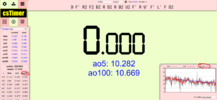
Does anyone know how to customise the time trend graph in cstimer? It's not showing me the ao5 and stuff in it
It's in settings, statistics, scroll down a bit and you can change the ao5 and ao12 to whatever you want it to be. The single will always remain
Unfortunately this changes the list on the left as well, so it would show like this:
1661578590909.png
 
Back
Top