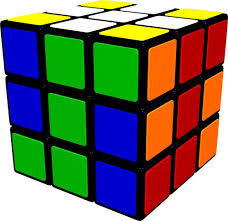
[Help Thread] [OFFICIAL] Gan 356i discussion / software updates / issues report

Konsta, the picture I sent in previous is the way you connect to 356i.
The logic of connecting the cube is that you MUST wake up the cube to connect. And when you wake it up, it will pop up in the interface, and you click "connect". That's it! Now no need to tap the switch inside the "Smart cube".
That means if connection is lost, you had to wake it up by shaking or turning white side.
Yea, I know that's the idea, but the problem is that the app doesn't always recognize that the cube has been shaked.
I can find the cube in phones own bluetooth list after shaking it, but the 356i app just doesn't sense that the cube is active and ready to be connected.
That's why I don't have the connect option available and that's why there should be an option to "force" the connection.
 
Have you guys known about 356i Play? We will launch it in a month. It's a bugdet choice of 356i.
Compared to 356i, the i play doesn't have the gyroscope inside in exchange for a longer battery life.

What's your thoughts? Share with me!

If the base is the same as 356i I think it should work well in the market, Giiker is cheaper (I have one) but is not as smooth and solid as 356i. The main problem at the moment is the battle mode outside china, I only play against bots lately, and DNF problem must be solved to give a good experience.

Another improve in software should be having the choice of the color at the top of the cube when playing, I solve the cube with orange at the top and have to turn it to scramble or AI teaching.
 
HELP!! My GAN 356i arrived two days ago and i still can’t connect it to my phone!!

i’ve tried everything! Charging from different sides, different rotations, shaking it, turning it, deleting the app, even blowing on it !!

any thoughts/help would be so much appreciated!! Right now i feel like i’ve wasted my money!!
Tom
 
This might help:

 
Hej all! I’m really struggling to connect my cube to my phone! I have tried everything .... turning it around in the charger, deleting the app, putting a book on top of it when charging ... everything!! I always get the same message (photo). Any thoughts?
B48BF7D4-FF4F-4ADF-9127-F9D6040780CB.png
 
When cleaning the 356i, does it come apart like other cubes (to clean the pieces), or will taking apart the pieces ruin the electronics?
 
Hej all! I’m really struggling to connect my cube to my phone! I have tried everything .... turning it around in the charger, deleting the app, putting a book on top of it when charging ... everything!! I always get the same message (photo). Any thoughts?

Should be like this when you "awake" the cube and it detected by the app (photo). Make sure you charge with white side on top, shake or turn white sides a couple times during connection.
This method is same to @Konsta , at least no one in my office encounters connection problem so far. And that's the same word the tech team told me.
Perhaps it's due to different device. Try write a feedback in-app with your phone model and system version(say, iOS 13.1 / Android 9.0).
 

Attachments

  • IMG_7105.PNG
    IMG_7105.PNG
    682.2 KB · Views: 7
Should be like this when you "awake" the cube and it detected by the app (photo). Make sure you charge with white side on top, shake or turn white sides a couple times during connection.
This method is same to @Konsta , at least no one in my office encounters connection problem so far. And that's the same word the tech team told me.
Perhaps it's due to different device. Try write a feedback in-app with your phone model and system version(say, iOS 13.1 / Android 9.0).
I'd love to use the in-app feedback, but it's complaining about 200 character limit, apparently I can't say everything I need to say within those limits.
Tried to post something like this:
20-30% of the time when starting the app it doesn't connect with the cube or give me the connect option. Cube is fully charged, bluetooth is working normally(I can see the cube in my bluetooth list). Previously I was able to force the connection from "my device" -> "smart cube"-window with the connect switch, but it was removed in the latest update. It's shows up only when the connection is on, which isn't very helpful. Using huawei P20 lite with EMUI 9.1.
 
The learning concept here is awesome. But the software reviews on ios and andriod are all over the place. Is the app reliable today?

I would like to use the 356i to "drill" the same alg over and over again. Has Gan got this feature working today?

How is the integration of the robot for alg drilling?
 
The learning concept here is awesome. But the software reviews on ios and andriod are all over the place. Is the app reliable today?

I would like to use the 356i to "drill" the same alg over and over again. Has Gan got this feature working today?

How is the integration of the robot for alg drilling?

Please update to the latest version for algorithm practice! I made part of the English translation :)
Tested it and personally thinking it's not easy to get used to it, any question unknown please leave message below. @Wish Lin @Konsta @nonoperez
but once you did, that would be the great method to build your muscle memory!

I write some points here try to clarify some confusions.
1. You don't need the cube on your hand to match the situation on the screen. The screen is the case you need to solve!!
2.The picture below timer is the case you have to solve in tutorial way. The bigger cube in the middle of screen is a "virtual status" in that case complementing the other tiles. When you start to do algorithm in your cube it will count time and when correctly finished it stops.
3. If you are not solving in the given direction you have to adjust your default face. For example, Aa perm is default with headlights on right side. If you do the Aa perm with headlights on the left side, you have to hold the green on front and yellow on top. Also, like Ga-Gd perm if you will rotate the cube with algorithm (say, start blue but finish red on front), you have to adjust back to blue on front before next solve.
4. Please allow 2 seconds interval before next practice, for the app to record and reset the virtual status.

Overall it's designed for muscle memory and fluency checking. Since you cannot observe your cube during practice, you have to be very familiar with algorithm. Without seeing the exact status on my hand, some algorithms are prone to make mistakes.
 
90% of the cubers in China don't have PLL names in their memory(so do I), so this version is without names like J perm, T perm, etc.
I will make a suggestion for adding PLL perm name in this module in future. Anyone who can give me the link of whole PLL cases with their names?
 
90% of the cubers in China don't have PLL names in their memory(so do I)
Yup, I experience this first hand when I talk about F perm or something and my friends are like "What is that?"XD. I got to admit the Chinese name sucks!(I think Taiwan is way worse than China because I can literally find 5 DIFFERENT ways of saying any perm from 5 people)

I do think the PLL code names are necessary even in Chinese mode because if a Chinese user wants to practice ALL OF THEM, then he/she should probably know these code names sooner or later.

And I personally don't think a random guy only want to learn basic stuff will buy an 356i and use the app XD.
 
I can't download the app, tried with mobile and PC. speed is too low, about 17 hrs to complete.
I can't use the app without update either.

Does this happen to you?

Edit: Using android
 
Back
Top