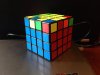
Most people use a method known as reduction (aka redux).
(fine print: actually, most people use speed-optimised variants of redux, rather than the method in its "purest" form.) The general method of solving with reduction is to solve all the centres first (as you've noticed, you need to make sure that the colours are correct relative to each other), pair up all the edges, then solve as a 3×3×3.
Edge pairing is a pretty "intuitive" step, in that you don't need algorithms for it. If you see (for example) that the two red-blue edge pieces are one move away from being paired, you first do the move that pairs them up. This breaks up the centres, which you'll have to restore, but if you restore it now, you break up the red-blue edge pair you just formed. So instead of restoring it immediately, replace the red-blue edge pair with an unsolved pair, and then restore the centres.
Example.
Keep doing this until either all the edges are paired up, or you have two unsolved pairs left. If you end up with two unsolved pairs (e.g.
this), line them up on FL and FR so that they
aren't solved by doing a single slice. Do the slice, flip the unsolved pair (e.g. using something like R U2 R' F' U' F), and restore the centres; this should finish edge pairing. (
Example.)
Once you're done with edge pairing, there's one more thing to note for the 3×3×3 stage. When you get to the last layer, you might have an odd number of last layer edges flipped (use
this alg to fix it), and you might also find that you need an odd number of swaps to solve the corners and edges (use
this other alg to fix it).
(edit: if you think I suck at explaining things, you can also check out
CubeSkills.)