

MagicVince
Regular
Hello,
If you are wondering what this or that OLL actually does (in terms of permutations for instance), this website can help you:
 cube.vgreco.fr
When I introduced myself two and half years ago I told you I was working on a website that would analyze the effects of an algorithm. For some unknown reasons, I did not post the URL of my website when it was in alpha stage, some months later (lucky you, you missed the ugly earlier versions). But I recently updated it and I consider that it is now in beta stage.
I am taking this opportunity to show it to you.
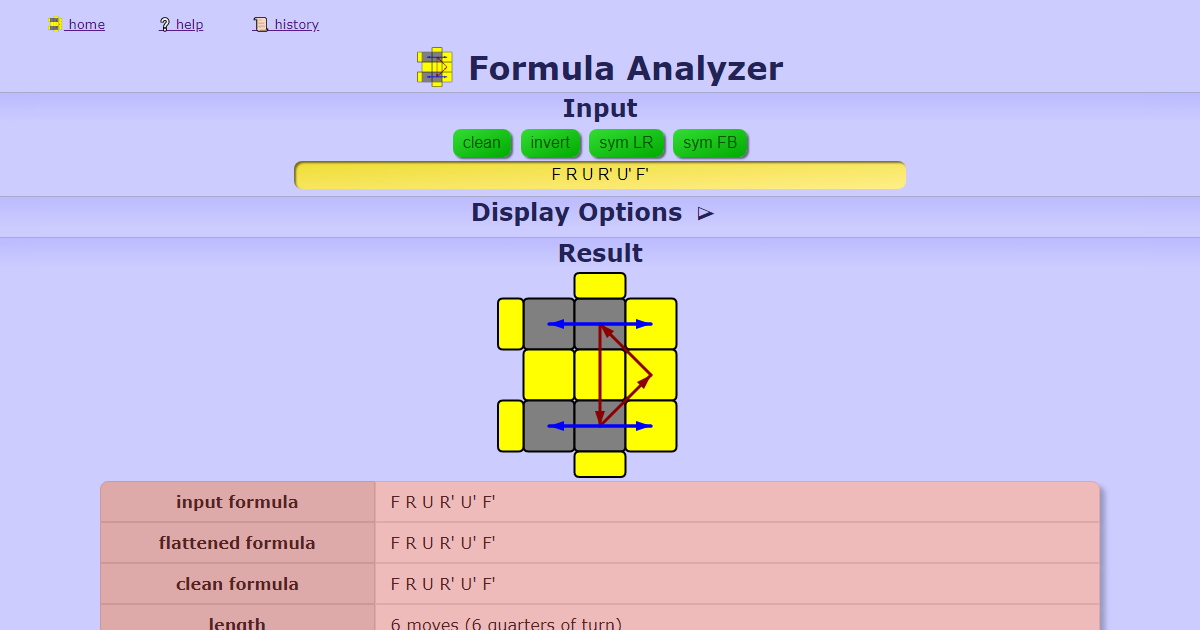
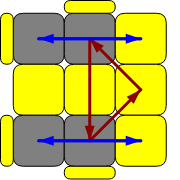
I could speak for hours about this website, but I will try to be brief. Basically you type (or copy and paste) any formula into the input section, say an OLL. An image is generated that shows the effect of the algorithm (more exactly it shows what situation it can solve) with colored arrows. In this way you can see the desired effects (on orientation) but also the side effects (on permutations). There is a summary window that gives you some extra informations (list of the permutations/orientations, how many times you should repeat the algorithm to cancel it, length in QTM etc.). Then, you can search the mini-database (less than 150 algorithms, but it has all the OLL and all the PLL) for a similar algorithm that would leave the corners unchanged, for instance. By clicking on its formula, you can now explore it and so on.
Does such a website already exist? Do you find it useful?
Any feedback is welcome.
Thanks,
MagicVince.
If you are wondering what this or that OLL actually does (in terms of permutations for instance), this website can help you:
Formula Analyzer
Rubik's cube Formula Analyzer with graphic output of the permutations and orientations effects on corner edge and center cubelets and an algorithm database.
cube.vgreco.fr
When I introduced myself two and half years ago I told you I was working on a website that would analyze the effects of an algorithm. For some unknown reasons, I did not post the URL of my website when it was in alpha stage, some months later (lucky you, you missed the ugly earlier versions). But I recently updated it and I consider that it is now in beta stage.
I am taking this opportunity to show it to you.
I could speak for hours about this website, but I will try to be brief. Basically you type (or copy and paste) any formula into the input section, say an OLL. An image is generated that shows the effect of the algorithm (more exactly it shows what situation it can solve) with colored arrows. In this way you can see the desired effects (on orientation) but also the side effects (on permutations). There is a summary window that gives you some extra informations (list of the permutations/orientations, how many times you should repeat the algorithm to cancel it, length in QTM etc.). Then, you can search the mini-database (less than 150 algorithms, but it has all the OLL and all the PLL) for a similar algorithm that would leave the corners unchanged, for instance. By clicking on its formula, you can now explore it and so on.
Does such a website already exist? Do you find it useful?
Any feedback is welcome.
Thanks,
MagicVince.


