• Welcome to SpeedSolving.com — the world’s largest puzzle community!

    You’re currently browsing as a guest, which means you have limited access to discussions, resources, member profiles, and community features.

    Join 50,000+ cubers and puzzle enthusiasts from around the world to ask questions, share solves, improve faster, and be part of the community.

    Registration is free, fast, and easy — create your account today.

    Already a member? Log in here to hide this message and start participating.

csTimer released

I'm aware of the workaround, as I have posted in the past:


I am making a feature request that times be editable, not looking for a workaround for times being read-only once entered.

How was Owen supposed to be aware of this? You posed a problem and asked for a certain solution, and Owen said there was already a workaround for it. Did you expect him to read the entire thread before responding? There's still no reason to get upset
 
How was Owen supposed to be aware of this? You posed a problem and asked for a certain solution, and Owen said there was already a workaround for it. Did you expect him to read the entire thread before responding? There's still no reason to get upset

I'm not upset, it was simply one light-hearted, smart-assed reply which was misinterpreted due to lack of tone in online communication. I apologize for if it is causing such great friction.

And, if it can be water under the bridge, I am still attempting to make a valid feature request.
 
A simple general rubik's cube solver in csTimer

Hi all,
In the past week, a simple general 3x3x3 solver is integrated in csTimer (only available in /new/ right now). You can open it in the tool panel, Function "Solvers"->"3x3x3 General".
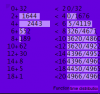
In the displayed panel, you are able to define a solved state [1] for any facelet with up to 10 different colors [2]. Such that solving the recolored cube might be equivalent to a sub step of a method. Some examples are listed in the selector "Edit subset", e.g. Cross, 2x2x2, Domino reduction, EOLine, EO&CO, etc.
By default, the stickers are set to Cross. So when you click "Start Solve!", it will start generating all solutions in the textarea and won't stop until you click the button again.
Due to limited resources in browser, the performance might be much worse than native software, e.g. CubeExplorer. It can only find 9~11-move solutions in seconds, depends on state definition.

Note [1]: the color editor only defines the solved state of the cube, while the scrambled state is calculated by performing current scramble to the solved state.
Note [2]: although there're only 6 colors on a regular rubik's cube, more colors might be useful to indicate some other information, e.g. orientation of edges.
 
et5r.PNG
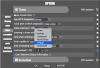
the thing which is normally between the list of PBS and times and above it has disappeared for some reason, how to fix it?
 
Is there a way to delete a bunch of solves from a session at once without effecting the others?
You just have to select the first solve you want to delete (chronologically, the solve with the lowest solve number) and then when it says delete values you put the number of solves you want to delete and it will delete that number of solves in front of the selected solve
 
Is there a way to delete a bunch of solves from a session at once without effecting the others?
You just have to select the first solve you want to delete (chronologically, the solve with the lowest solve number) and then when it says delete values you put the number of solves you want to delete and it will delete that number of solves in front of the selected solve

You need to check the "Enable Multiple Deletion" box in Options => Statistics and then you'll be prompted as above.
 
Back
Top