• Welcome to SpeedSolving.com — the world’s largest puzzle community!

    You’re currently browsing as a guest, which means you have limited access to discussions, resources, member profiles, and community features.

    Join 50,000+ cubers and puzzle enthusiasts from around the world to ask questions, share solves, improve faster, and be part of the community.

    Registration is free, fast, and easy — create your account today.

    Already a member? Log in here to hide this message and start participating.

csTimer released

Would it be possible to have an option to set key binds to automatically add a specified comment to the recent time? I've been interested in adding comments to solves and then exporting the session to do analysis on for stats like cross color distribution/performance, number of LL steps, etc. It would save a lot of time to be able to just press O and have an O be commented on the last solve to indicate it was orange cross vs having to click the solve, click the comment field, then type it and hit enter before doing the next solve. Another option would be if typing the time, being able to do something like // then the comment to save from doing 2 typing steps.

For the typing feature, in fact, csTimer supported this feature 10 years ago. When csTimer generates a report, it generates something like:
Code:
Time List:
1. 13.84   ...
2. DNF(14.90)   ...
3. 12.81[abc]   ...
4. 14.51+[afd]   ...
You can enter it back directly in its format. That is, if you type "12.81[abc]", then the abc will be used as a comment.

Note that if you enter an integer, the integer-input option will also take effect. For example, 10[abc] is recognized as 0.10[abc] by default.
 
For the typing feature, in fact, csTimer supported this feature 10 years ago. When csTimer generates a report, it generates something like:
Code:
Time List:
1. 13.84   ...
2. DNF(14.90)   ...
3. 12.81[abc]   ...
4. 14.51+[afd]   ...
You can enter it back directly in its format. That is, if you type "12.81[abc]", then the abc will be used as a comment.

Note that if you enter an integer, the integer-input option will also take effect. For example, 10[abc] is recognized as 0.10[abc] by default.
Oh I see, thanks! I didn't know about that for some reason
 
BTW, does mini guildford indicates a relay consists of 2x2, 3x3, 3x3oh, 4x4, 5x5, pyraminx, skewb, megaminx, sq1 and clock?

A regular Guildford Challenge is all 11 WCA puzzles - 2x2, 3x3, 4x4, 5x5, 6x6, 7x7, pyraminx, megaminx, skewb, sq1, clock - plus OH, so 12 wca events.

A Mini Guildford is a regular Guildford minus 6x6 and 7x7, so 10 WCA events.

A Mega Guildford is all 17 WCA events together. (It doesn't take hours to do, because you don't take the full hour for FMC or MBLD. You do a speed FMC in just a few minutes and a speed MBLD of 2/2 in just a few minutes. )
 
The developers question was what cstimer should do with a solve that has no time (since you only input DNF) when you then choose "ok" or "+2". Is it a 0 with ok? A 2 with +2? Would he have to introduce a new logic for solves that have no times?

-> Lots of work to implement it, because he'd have to change other stuff as well
I didn’t really think about that, but maybe you could type ur time, then DNF after (20.38 DNF)
and that would change the time to a DNF but you could fix it
 
Updates after 2023.06.14

1. add last layer training mode
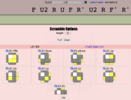
The usage of this mode is the same as the keyboard mode. In this mode, the top layer of scrambled state is displayed in the middle of the screen after the start of timing, which may be used to train recognization of some algorithm sets on the top layer.
截屏2023-06-28 22.10.36.png
截屏2023-06-28 22.11.16.png
2. add training pre-scramble, z2 by default
When using training scrambles (e.g. oll, pll), the orientation of the cube (affected in draw image tool, virtual cube, bluetooth cube, etc.) will change to U yellow F green by default. You can change the orientation of the cube by modifying "Option -> scramble -> training pre-scramble".
3. record smart cube solution when using other timers
You can use smart cube while using other timers (e.g. keyboard, stackmat), and the solution will be recorded in the solve.
4. add 2x2x2 tcll, 2x2x2 ls scramble and case filter
截屏2023-06-28 21.46.34.png截屏2023-06-28 21.46.44.png
5. Rollback online competition tool.
Currently we have weekly competition with events 333 (3 groups), 222, 333oh, 444, 555, skewb, pyraminx.
Next, we plan to import the scrambles from WCA competitions (or/and other online competitions) directly into this tool.
截屏2023-06-28 22.13.46.png截屏2023-06-28 22.14.03.png
 
Last edited:
Back
Top