
WombatWarrior17
Veteran
I think a feature you could add is the option to name your sessions. And I just want to say that this is my favorite timer.

Follow along with the video below to see how to install our site as a web app on your home screen.
Note: This feature may not be available in some browsers.


Thanks and you can! Just click the options button next to the session select and type away. Once you close the options again it will be saved.I think a feature you could add is the option to name your sessions. And I just want to say that this is my favorite timer.


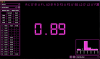
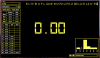
Thanks! I've noticed that too. I need to investigate why it is doing that. It could be my fault or Electron's (the underlying app platform). I'm going to try and resolve it in the next couple of days.Wow, I like those themes! I think there wont be problem with the brightness, at least for me hehe.
I've recently noticed that when the timer is open I can't use other softwares commands, for example, if I am in safari I can't use cmd + T to open another tab and if I change to the timer, the add time manually window has opened or if I'm in finder and I want to delete a file using cmd + backspace, the file doesn't delete, but instead the last time in the timer has been deleted.
Everything else is working perfectly!
Uh oh! Did you force quit or close Block Keeper in an unusual way? I'd like to know so I can investigate the reason behind this and resolve the issue. If you have any details of the session before and when you started that would be very useful. Did you keep a backup of your system files? (e.g Time Machine on Mac)Hey, I just pulled up my timer and all of my solves are gone.
Sorry this is effecting you. This issue only occurs VERY rarely. I haven't seen it in a long time and I thought I resolved it. Due to this rarity, I haven't figured out what causes it. Is data not being saved correctly or being interrupted? Is it not loading right? That's why any information relating to it is important. Did you rename any sessions for example and what to? It all helps.No, I just closed out of it normally last night.
The issue only comes when you start the timer again, because it tries to load your sessions, but if it can't, then it goes back to default. What did you name the sessions to? Any symbol characters? Like !@$%()*\|/ etc.I did rename a couple of them, but everything is just gone. I didn't see any problems previously.
Interesting, I tried a csTimer import again, worked fine for me. Could you send me the file you imported? I would like to see if I get the same problem, If you don't mind. You can email it to me at [email protected] if you want.No, I just named one after my PB I got in it, and another "F2L Practice". I did import 5 or 6 sessions from cstimer.
 .
.


