Forum Dark Theme Option

pjk

Administrator
Staff member
Joined
Mar 13, 2006
Messages
6,807
WCA ID
2007KELL02
SS Competition Results
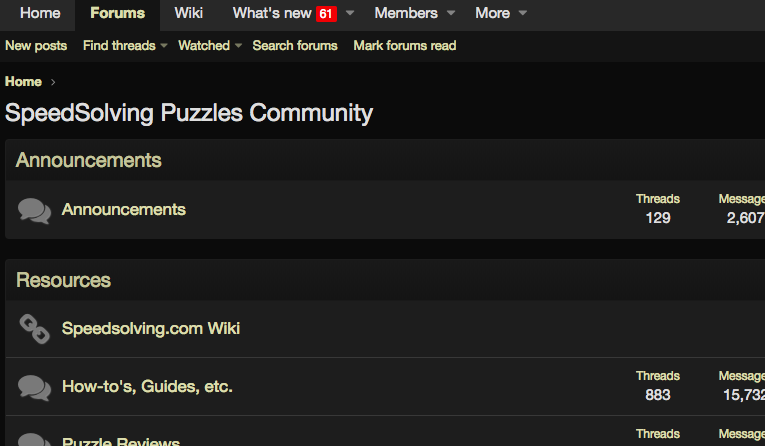
For those of you who prefer a darker theme on browse the forum, I've added a new theme option:
Screenshot 2018-09-13 14.56.51.png


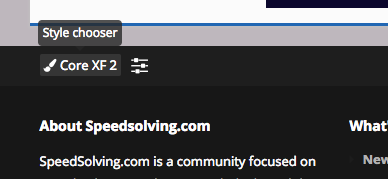
You can adjust your default style on the forum by choosing the "Dark Theme (cream text)" on the lower left of the forum under the Style chooser:
Screenshot 2018-09-13 14.54.49.png
 
Great addition.
Maybe something a little less dark for the text background, like the dark option of Discord, would be even more comfortable.
Thank you.
 
  • Like
Reactions: pjk
For those of you who prefer a darker theme on browse the forum, I've added a new theme option:
View attachment 9465

You can adjust your default style on the forum by choosing the "Dark Theme (cream text)" on the lower left of the forum under the Style chooser:
View attachment 9464
This is really nice to have and use. I like this dark theme a lot, so thank you for creating/adding this as a option.

Additionally, is there anyway that the "Core XF 2" theme can be the same as the Dark/Default theme in regards to how the alerts/conversations sections scroll down with you as you scroll down the page...If that makes any sense.
To try and make it a little more clear, when I choose the Dark/Default options I can scroll down the page with the alerts scrolling down with me to see any new alerts as I have at the bottom of the doing what ever. But when I choose the Core XF 2 option, the alerts section stay at the top of the page, so if I want to see any new alerts I have to go to the top of the page to see that.

This is a very minor thought, but I thought I would mention it to see if you want everything the same. Thanks
 
Last edited:
Thanks a lot. I prefer this new version.

BTW, the "Post reply" button has a dark text on a dark bg. I think it needs a fix.
 
For those of you who prefer a darker theme on browse the forum, I've added a new theme option:
View attachment 9465

You can adjust your default style on the forum by choosing the "Dark Theme (cream text)" on the lower left of the forum under the Style chooser:
View attachment 9464
On mobile, the dark theme looks funky. The profiles are like 200% oversized and the top of the screen looks slightly different. Nothing wrong, just wanted to say. Would you mind letting me know if this is normal?Screenshot_20181125-194041_Chrome.jpg
 
On mobile, the dark theme looks funky. The profiles are like 200% oversized and the top of the screen looks slightly different. Nothing wrong, just wanted to say. Would you mind letting me know if this is normal?View attachment 9727
Is this on the 'Speed Solving dark' theme or the 'Dark Theme (cream text)'?
 
Back
Top