
Navigation
Install the app
How to install the app on iOS
Follow along with the video below to see how to install our site as a web app on your home screen.
Note: This feature may not be available in some browsers.
More options
-
 Welcome to SpeedSolving.com — the world’s largest puzzle community!
You’re currently browsing as a guest, which means you have limited access to discussions, resources, member profiles, and community features.
Join 50,000+ cubers and puzzle enthusiasts from around the world to ask questions, share solves, improve faster, and be part of the community.
Registration is free, fast, and easy — create your account today.
Already a member? Log in here to hide this message and start participating.
You are using an out of date browser. It may not display this or other websites correctly.
You should upgrade or use an alternative browser.
You should upgrade or use an alternative browser.
csTimer released

AvGalen
Premium Member
That sounds like a great feature. I would like to be able to set beeps at 15, 35, 60 seconds (4x4x4 centers, pairing, "done") or 40, 85, 110 (5x5x5 centers, pairing, "done") so I get feedback if I am on-schedule without having to look at the timerFeature request:
Someone pointed out that it would be good if you could turn on a setting to make the timer beep after a specified amount of time. For example, an hour (or increments of 10 minutes) for multi. (But I also think it would be good to allow the user to specify any number of seconds, as it has other uses like forcing yourself to only use 20 seconds for memo or something.)

cubeshepherd
Veteran
- Joined
- Feb 18, 2018
- Messages
- 2,261
To get a background image (1) Click the "options" button, (2) Then click on the "Display" button, (3) The 6th option under the "display" section is called "background image" and that will allow you to import a URL image that you want.How do you import a background? I can't find the right setting.
Hope this helps.

Riley M
Regular
I used to be able to change the color scheme of my CsTimer, now the only way to change it is by giving it a hex code that I copied. No box appears where it should under color except for the font color and font style. Does anyone know a solution?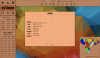

Cubetastic5
Regular
Did you check if you have the same issue in different browsers? And what browser is this?
Riley M
Regular
This is Safari on Mac, it worked before in Safari on Mac, but it is currently working on Chrome. I will try clearing history as sometimes this causes problems on Safari. (EDIT) DON'T do this! I lost all sessions and only got my data back because I had a recent export. I would like to keep using Safari, yet if no one else has a better way then I might switch to another browserDid you check if you have the same issue in different browsers? And what browser is this?
Last edited:

qq280833822
Regular
Update on 22 Sep 2018
1. Now you are able to login by your Google account and export/import your data to/from google server. CSTimer use Google drive service to store your data in your own Google drive space (in a hidden application directory according to Google's policy.) In current implementation, once the data is uploaded succesfully, it won't be deleted forever. I'll try to develop another tool to manage the uploaded data, since Google does not allow people browsing or editing their application directory.
2. MoYu Timer (a newly produced stackmat-like timer) is supported.
3. Add Redi cube scramble in MoYu's notation and scramble algorithm.
1. Now you are able to login by your Google account and export/import your data to/from google server. CSTimer use Google drive service to store your data in your own Google drive space (in a hidden application directory according to Google's policy.) In current implementation, once the data is uploaded succesfully, it won't be deleted forever. I'll try to develop another tool to manage the uploaded data, since Google does not allow people browsing or editing their application directory.
2. MoYu Timer (a newly produced stackmat-like timer) is supported.
3. Add Redi cube scramble in MoYu's notation and scramble algorithm.
Computteren
Member
- Joined
- Oct 8, 2018
- Messages
- 3
Hi people.
I am currently using cstimer and I love it. But there's 1 thing that kinda annoys me, which is I have a lot of different sessions, but they're not organied. I have 3x3x3 somewhere the top, and then 4x4x4 somewhere in the middle/bottom of my sessions. So my question is
Any way to move around the sessions in cstimer, so I can organize my sessions?
Thank you for reading
I am currently using cstimer and I love it. But there's 1 thing that kinda annoys me, which is I have a lot of different sessions, but they're not organied. I have 3x3x3 somewhere the top, and then 4x4x4 somewhere in the middle/bottom of my sessions. So my question is
Any way to move around the sessions in cstimer, so I can organize my sessions?
Thank you for reading
Computteren
Member
- Joined
- Oct 8, 2018
- Messages
- 3
The only way to move them around would be download sessions deleting them and re-uploading them in the order you want. I just changed the session names.
I may try that
Getting a backup of all of my sessions, and then I try. Thank you How do you rename them? not sure if I am just being dumb, but I don't see an option to...The only way to move them around would be download sessions deleting them and re-uploading them in the order you want. I just changed the session names.

Billabob
Regular
- Joined
- Jul 12, 2018
- Messages
- 225
You’re not being dumb - it’s quite unintuitive. To rename a session, click the blue “Session” text next to the dropdown menu.How do you rename them? not sure if I am just being dumb, but I don't see an option to...
Computteren
Member
- Joined
- Oct 8, 2018
- Messages
- 3
The only way to move them around would be download sessions deleting them and re-uploading them in the order you want. I just changed the session names.
And how do I do this?
I clicked the "Upload" arrow on CStimer, clicked export to file, but it exports my entire CStimer.

sillyturdle
Member
- Joined
- Jan 31, 2018
- Messages
- 23
Update on 22 Sep 2018
2. MoYu Timer (a newly produced stackmat-like timer) is supported.
No matter what I do I can't seem to get my moyu timer to work.

Rubix Noob
Regular
Is it possible to carry stats to other browsers/devices?

csTimer works using cookies. You can export your session as a file and import it into the csTimer of a different browser or on a different computer, but otherwise I don't think so.Is it possible to carry stats to other browsers/devices?
Rubix Noob
Regular
That worked. Thanks!csTimer works using cookies. You can export your session as a file and import it into the csTimer of a different browser or on a different computer, but otherwise I don't think so.

AbsoRuud
Veteran
- Joined
- Jun 28, 2018
- Messages
- 1,047
- Location
- Lelystad, Flevoland, The Netherlands
- WCA
- 2019POLL04
- YouTube
- Visit Channel
Yes, you can log in with either your WCA or your google account and you can import/export your times this way. You can also save it to their own server or save it to a file and make a backup just in case.
dsoegijono
Member
- Joined
- Oct 8, 2018
- Messages
- 1
I'm having the same issue. If it's plugged in, the timer won't even start. Or if I unplug and plug it back in, it would work for a few seconds then stops. csTimer also doesn't seem to recognise it.No matter what I do I can't seem to get my moyu timer to work.

asacuber
Veteran

Similar threads

- Replies
- 6
- Views
- 433


- Replies
- 15
- Views
- 1,637
