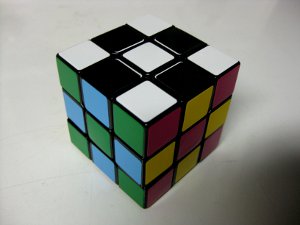
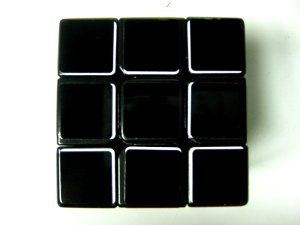
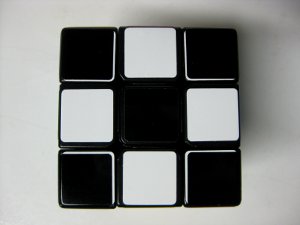
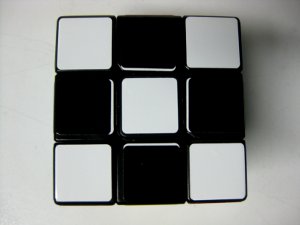
color scheme research

Hmm yea. I think that the best solution is to have a brighter blue, green and red, and a darker orange.

EDIT: come to think of it, a brown might work in place of the orange.
 
Last edited:
Maggie finally stickered her cube! The last roomie cube is called Robotsis.
IMG_1740.JPG
IMG_1742.JPG

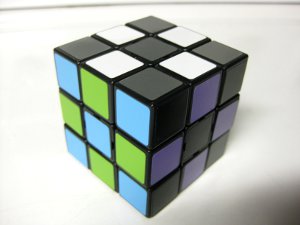
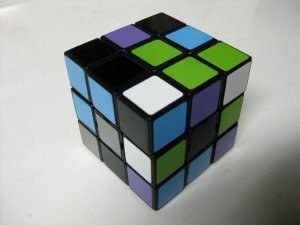
White, silver, light blue, light green, black and light purple

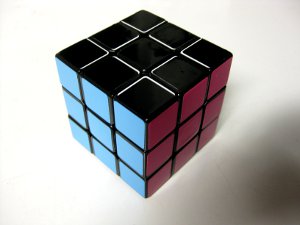
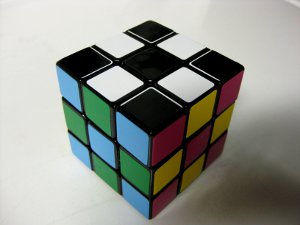
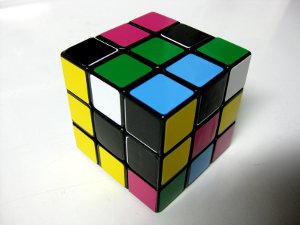
And my third opponent process speedcube is named Johann. Except for the blue side, all the colors pretty closely match the true OP colors. In order to avoid the black on black problems I had with Opulent Temple, I double stickered that side with black over white. I was wanting to mimic the white tic-tac-toe pattern that appears between the stickers of a white cube. To do this, I placed white sticker on the inner edges and corners of that face's cubies. Then I covered the white stickers with black stickers, offsetting them to leave about a mm of white exposed. Granted, it adds unwanted noise to the color scheme...but it looks SO BADASS! And it does help the black side not fade away due to the matching cube color.
IMG_1744.JPG
IMG_1745.JPG
IMG_1749.JPG

IMG_1743.JPG
IMG_1747.JPG
IMG_1748.JPG

IMG_1750.JPG

Johann: White, black w/ white detailing, light blue, green, fuchsia, yellow

I still have a bunch of stickers, but none of the colors I want to be using. So it might be a while until I have more cubes to show.

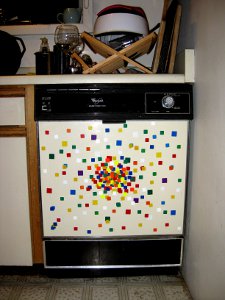
What did we do with all those old stickers? Turned the dishwasher awesome :D
dishwasher.JPG
 
My stickers arrived today, yay :D


And here are the results...

opp_scheme2.png
opp_scrambled2.png


Cubesmith colours used: Grey, White, Blue, Bright Green, Red, Bright Orange

Overall, very happy with it. Great differentiation between all opposites and adjacent colours. Maintains mostly the same colours as before, just with different intensities. The grey is going to take a bit of getting used to, but it seems to make sense to have it opposite white.
 
Last edited:
Wow, that looks fantastic! Grey against white looks really good, and overall there's a great balance between light and dark.

Can you tell me about your choice to use bright orange instead of yellow or florescent yellow? Were you wanting to stay close to the original color scheme? I must admit though that your bright orange stands out a lot better that orange or florescent orange.

I was worried about grey/blue, but it looks like it could work. Are they distinct enough for you?

Well done Chride! Oh, and are you going to name it ;)
 
Yeah, I chose bright orange rather than yellow to keep recognition of the red/orange sides the same as before. I guess if I was just starting out cubing I would probably go for yellow for maximum contrast, but with the original scheme engrained into my head, using yellow opposite red would probably cause too much confusion.

The grey seems to work fine against blue because the blue is just so much darker. This is why I tried to avoid using a dark grey or black. You can see the contrast if you look at the back of the U-face on the scrambled cube. The grey never gets confused with white, and if anything it could possibly do with a slightly lighter grey to make it appear less like a 'non-colour'. I did try Cubesmith's light grey stickers but they are too close to white.

As for a name for the scheme, I guess I would call it 'granite' :)
 
Last edited:
I've been using the new colour scheme for a bit, and I've just noticed something about the way I process light/dark information, and the role it plays in my solve.

When searching for bad edges during EO inspection the first trigger I get for a bad edge is either red/orange (so a warm colour) or white/yellow (a bright colour). Similarly for OLL, the first thing I seem to process is the brightness of the sticker, so instead of seeing yellow (on the original schme) I just see the direction the brightest stickers are facing in. With the new scheme these differences in brightness from the original scheme seem to be affecting my recognition. For example on OLL I seem to be seeing the bright greens and oranges before recognising the pattern on the grey stickers.

Because of this, I'm now thinking that the ideal colour scheme would use similar brightness levels for opposite faces, and maximise the contrast in brightness of adjacent faces. So something like this:
visualcube.php

.... using opponent colours

visualcube.php

..... and with the more traditional 'add yellow' scheme.

So I guess a general point for discussion is how brightness of stickers is used in recognition, and how brightness should be mixed with the colours in the scheme. Opinions?
 
I don't like that yellow/orange edge in the 2nd cube...

I never thought about brightness for recognizing OLL, but I did use it for EO (I don't do EO anymore). So I would get confused with the gray, I guess, when doing EO, because orange would maybe stick out more.

But I guess it's all a matter of getting used...I once stickered a cube with japanese color scheme (cube4you stickers, I think, which suck...ugly color). Got to a 17.xx average in a short time (I usually average mid-12 now, but was more like mid-13 back then). Given more time, I could probably average 15 with it.
 
Hey, sorry, I'm pretty new to this whole thing, but is there a program or something I can use to make those cube pictures you guys are posting, or do I need to just photoshop one you guys already put up?
 
Wow, that's a really cool tool, lol. Here's a scheme I'm thinking about ordering to put on my new F-II, wanted to get a couple of opinions.

visualcube.php


visualcube.php


There doesn't seem to be too much confusion in the colors, and I kinda like the overall scheme.
 
The blue and purple look very similar to me, but maybe that's just me.

Also, a lot of these 'optimal' schemes seem to be pretty dark. Maybe it's just because of computer colors, but I tend to have an easier time distinguishing lighter colors than darker ones (if the hue difference is the same in both cases), so for me a relatively dark color scheme would never be optimal.
 
I agree with qqwerf, my only dark color is red, the rest of my colors are just standard cubesmith stickers, but I replace the blue with light blue and green with light green.
 
Ooh, after some more playing around, I think I've settled on what I'm putting on my next cube:

visualcube.php


visualcube.php


It taps into basically the same scheme as the original, just with alterations to the hue. My only real worry is that the grey might get lost, but I could try a lighter shade, I guess.

White = Gray
Yellow = Gold
Orange = Fuschia
Red = Purple
Blue = Light Blue
Green = Green
 
Back
Top