Logiqx
Veteran
I've never been a fan of OLL charts organized by how the algs "feel", because I always recognize them by how they *look*.
Ditto.
Follow along with the video below to see how to install our site as a web app on your home screen.
Note: This feature may not be available in some browsers.
I've never been a fan of OLL charts organized by how the algs "feel", because I always recognize them by how they *look*.
I think execution and recognition can be (and maybe always are) learned as separate things. Then as you say, there's a "link" which must also be learned.I've kind of been learning it the other way around. I've been focused on recognition and AUF before the algorithm(s). I'm trying to train myself to think "case -> solution", kind of like using a database index as opposed to a full / partial table scan. For me it's less an issue of determining which algorithm of many will solve a case and just getting the the initial link established in my head.
Ditto.![]()
I made similar similar sheets for PLL but with different types of features highlighted. Here's one of them as an example:
![]()
These were created to help myself whilst learning PLL but you are welcome to use them as well:
http://mikeg.me.uk/cubing/PLL.zip - example algorithms
http://mikeg.me.uk/cubing/PLL_DIY.zip - without algorithms
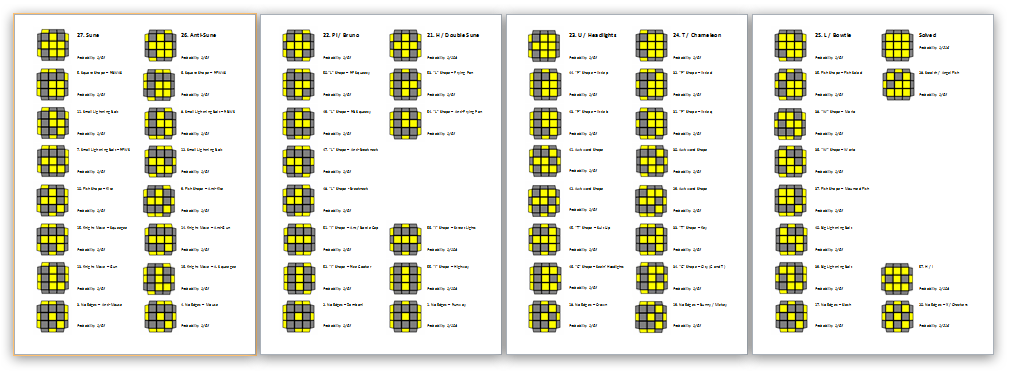
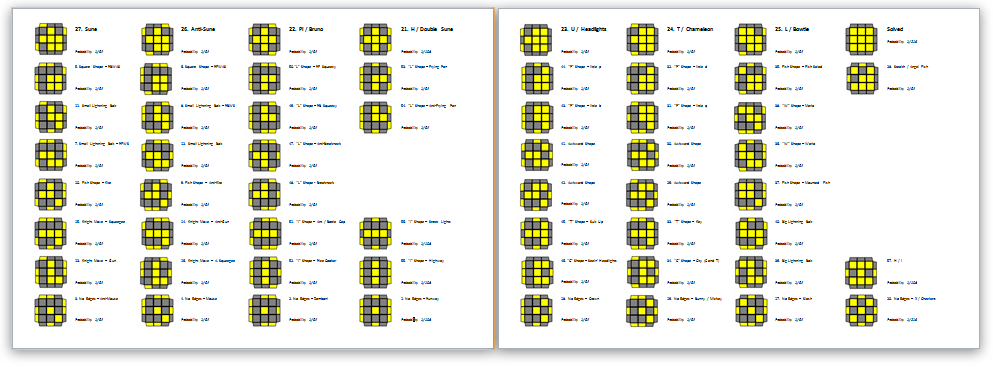
I do this whenever I am learning any alg setsI've been meaning to learn full OLL for months. A long time ago, I printed Bob Burton's and Badmephisto's algs. Some of them I liked, for others I found algs in the Wiki, or from various other sources. I found myself carrying around various folded pieces of paper, some with algs crossed out, or notes, or diagrams that didn't correspond to the angle from which I performed an alg...
Anyway, when an alg slips out of my mind, or I confuse it with another one, I can never remember where I found it. So I decided to create a blank OLL algorithm 'cheat sheet'. It's nothing special, just a Word document, so can be opened in Word, OpenOffice, Pages, etc..
The advantages:
1. You can print out a copy without algs, and write them in by hand, consolidating your favourite algs from the wiki, or your website(s) of choice
2. You can rotate the gifs easily (right click > rotate) to show the angle from which you perform the selected OLL
3. You can then update the document, rotating gifs and typing in the algs, for a personalised OLL 'cheat sheet'.
Hope it's of some use to someone.
View attachment 3662
Pip