StachuK1992
statue
- Joined
- Jul 24, 2008
- Messages
- 3,812
- Location
- West Chester, PA
- WCA ID
- 2008KORI02
- YouTube
- Visit Channel
Hrm, am I the only one that cannot get graphs of his times, or save them for that matter?

Follow along with the video below to see how to install our site as a web app on your home screen.
Note: This feature may not be available in some browsers.
oh damn I feel really dumb now.save the times, there's a button next to the mode button.
oh damn I feel really dumb now.save the times, there's a button next to the mode button.
I thought that button was to "save" that you wanted to switch to a certain mode.


oh damn I feel really dumb now.save the times, there's a button next to the mode button.
I thought that button was to "save" that you wanted to switch to a certain mode.
Changing the text of that button to "save times" would be nice, or something.

Hmmm... On my graph, my times from a session earlier today are appearing to the left of my previous sessions.
oh damn I feel really dumb now.save the times, there's a button next to the mode button.
I thought that button was to "save" that you wanted to switch to a certain mode.
Changing the text of that button to "save times" would be nice, or something.
It took me a while to figure that out as well. The warning message saying it would delete my current session didn't help. Maybe the notification should read "Are you sure you want to save your times? (This will start a new session)"
 You can just click on the "New Interface" link or you can go directly to http://gqtimer.kungfoomanchu.com/?modern=yes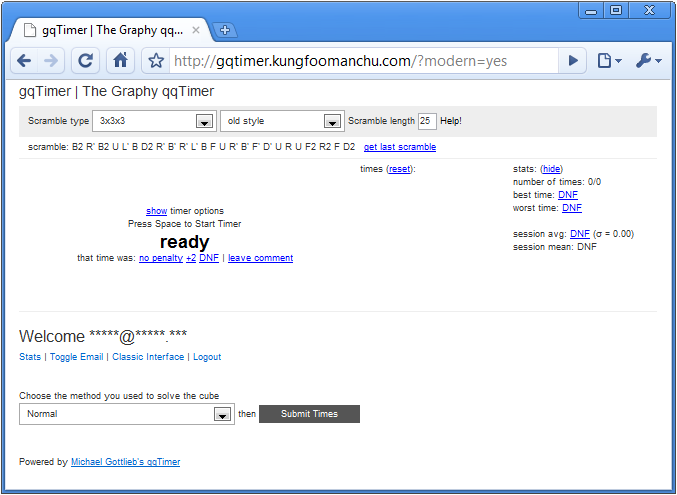
 We will work on this issue.

It looks nice.
Also, "Submit times" =
Hrm, just in case you didn't realize, the timer's not automatically fit to the screen. not a bit deal or anything (one should be able to hold control, then scroll on the mouse to fix this), just informing.
Overall, I'm really liking this timer.
W7 + FF
Edit: actually, the "top bar color: # set" isn't working for me, personally, too.
Yes we changed the "submit times" button based on your suggestion Yes, it worked fine in Chrome when I tried it a bit later. Rawr Firefox.Awesome, thanks
Thanks for pointing out the top bar color issue too. I think it is a Firefox thing, I was able to get it to work in Chrome and Opera. I just put that on the list of things to fix.
Making things fixed width eased development a bit, less variables to contend with. Hopefully it doesn't affect things too much.

I think there's something wrong with the graphing. Even after I submit my new times, it only displays the first 10 averages I did, although it reads Last 10 averages. Do I have to delete my previous times to get new ones to display? I would prefer it show all of the times on one graph or my last 10.

Maybe after submitting times, the times shouldn't be deleted.
I submitted a session of 100 times, which I'm sure is too much to go through at once. When I submitted the times, it opened the graph page but nothing loaded. I checked the graph page without submitting anything and there were no times.
EDIT: I also just submitted 5 time and the times didn't go through either. (I'm using Chrome and Linux if that matters)
Maybe after submitting times, the times shouldn't be deleted.
I submitted a session of 100 times, which I'm sure is too much to go through at once. When I submitted the times, it opened the graph page but nothing loaded. I checked the graph page without submitting anything and there were no times.
EDIT: I also just submitted 5 time and the times didn't go through either. (I'm using Chrome and Linux if that matters)
This is exactly the same issue I have, except I'm on a vista. Hopefully you will look into it, as I find it 100 times better than CCT
Also, would it be possible to quickly implement a "Are you sure you want to navigate away from this page?" message when you try to refresh or close (on accident)? I hate it when a very big, good average gets erased.
Which error are you talking about? The error of it not saving 100 times in a session, or not being able to post any times at all? I have not been able to recreate the inability to save error. Could you send me more details in a PM if you are getting this error? As for the 100+ times per session, I think I will have to write a note on the timer that says that currently we only support saving around 20 times per session. I wasn't anticipating many people going above that and I don't want to overwhelm this database yet.


