Cstimer to Profile Picture

OtterCuber

Veteran
Joined
Jul 26, 2021
Messages
642
Location
USA
YouTube
Visit Channel
Export your cstimer times into a pretty profile picture:
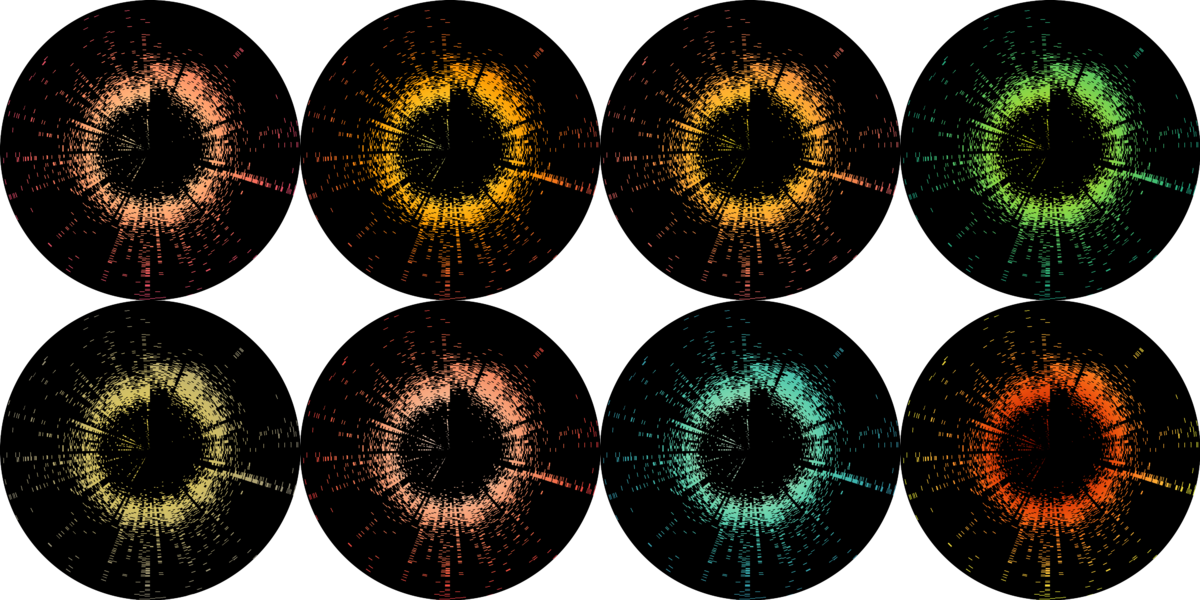
thumbnail.png


It is basically a plot of all your solves, starting at 12 o'clock and proceeding clockwise. The closer the dots are to the center, the faster your times. The default settings are good for those who average the 3x3 event between 10-20 seconds, but they can be tweaked for other events.

Thanks to Swagrid and Jack for providing their exports for testing, Athefre and OreKehStrah for motivating me to prettify my plot, and the ZMS channel for feedback.

Try it out: https://ottercuber.shinyapps.io/cspfp/
Code: https://github.com/OtterCuber/cstimer_to_pfp
 
Last edited:
The pfp generator is now online, so anyone can use it! Just make sure to upload session .csv files. You can upload multiple sessions if you want to combine them.


View attachment 19090

View attachment 19093
Wow that's so cool! Ima start using this.

Also just curious, does this only work for .cvs files for CStimer? Or does cubedesk work as well (along with other apps' .csv files?)
Because I just uploaded a 426 solve cubedesk session and whenever I try to download it the page says:
An error has occurred. Check your logs or contact the app author for clarification.
 
Export your cstimer times into a pretty profile picture:

View attachment 18641

It is basically a plot of all your solves, starting at 12 o'clock and proceeding clockwise. The closer the dots are to the center, the faster your times. The default settings are good for those who average the 3x3 event between 10-20 seconds, but they can be tweaked for other events.

Thanks to Swagrid and Jack for providing their exports for testing, Athefre and OreKehStrah for motivating me to prettify my plot, and the ZMS channel for feedback.

Try it out: https://ottercuber.shinyapps.io/cspfp/
Code: https://github.com/OtterCuber/cstimer_to_pfp
Nice
 
Wow that's so cool! Ima start using this.

Also just curious, does this only work for .cvs files for CStimer? Or does cubedesk work as well (along with other apps' .csv files?)
Because I just uploaded a 426 solve cubedesk session and whenever I try to download it the page says:
An error has occurred. Check your logs or contact the app author for clarification.
It only works for cstimer files at the moment.
Btw why does my pfp look like this... Is it because I only have 130 solves or is it because of something else...
Yes, it'll look better if you have more than 500 solves.
 
Back
Top