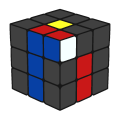
F2L cube state
|
Previous Steps
 * A previous state of this one is the Cross cube state. Use the F2L step to have the F2L cube state, as in the CFOP method.
- A previous state of this one is the F2L-1 cube state. Use the Last F2L Slot step to have the F2L cube state, as in the CFOP method.
- A previous state of this one is the F2L-1 cube state. Use the 2GLS step to have the F2L cube state.
- A previous state of this one is the 1st Layer-1C cube state. Use the 4E c keyhole step to have the F2L cube state.
- A previous state of this one is the 1st Layer-1C cube state. Use the Multi keyhole step to have the F2L cube state.
* A previous state of this one is the Cross cube state. Use the multislotting step to have the F2L cube state.
* A previous state of this one is the Cross cube state. Use the Freeslice F2L step to have the F2L cube state.
- A previous state of this one is the F2L-1E(E) cube state. Use the +1E(E) from F2L-1E(E) step to have the F2L cube state, as in the LBL std method.
- A previous state of this one is the F2L-1C cube state. Use the F2L keyhole alg to have the F2L cube state.
- A previous state of this one is the F2L-1E(D) cube state. Use the L5EOP step to have the F2L cube state, as in the pcms-var2 method.
 * A previous state of this one is the 1st Layer cube state. Use the 8355 algs to have the F2L cube state.
* A previous state of this one is the 1st Layer cube state. Use the Niklas w/M to have the F2L cube state.
* A previous state of this one is the 1st Layer cube state. Use the Edges XG step to have the F2L cube state.
* A previous state of this one is the 1st Layer cube state. Use the std LBL edges step to have the F2L cube state.
- A previous state of this one is the Pair No Cross cube state. Use the D-Edg step to have the F2L cube state, as in the pcms var method.
- A previous state of this one is the Pair No Cross cube state. Use the Salvia edg step to have the F2L cube state, as in the Salvia method.
- A previous state of this one is the Pair No Cross cube state. Use the Ins Cross step to have the F2L cube state, as in the CAP method.
- A previous state of this one is the Roux Blocks cube state. Use the DF+DB step to have the F2L cube state.
- A previous state of this one is the Roux Blocks cube state. Use the Roux-cfop Hybrid step to have the F2L cube state.
- A previous state of this one is the Cross + D CP cube state. Use the TF2L step to have the F2L cube state.
- A previous state of this one is the F2L-3 cube state (also called Xcross cube state). Use the 3C+3EEdg from F2L-3 step to have the F2L cube state.
- A previous state of this one is the F2L-3 cube state (also called Xcross cube state). Use the 3E c keyhole step to have the F2L cube state.
- A previous state of this one is the F2L-3 cube state (also called Xcross cube state). Use the X-CELL step to have the F2L cube state.
 * A previous state of this one is the EOline cube state. Use the ZZ -top step to have the F2L cube state.
- A previous state of this one is the Unoriented F2L cube state. Use the OF2L (McM) step to have the F2L cube state.
Next Steps
 * Use the OLL step to have the OLL cube state, as in the CFOP method.
- Use the BLL Beginner EO step to have LL:EO cube state.
- Use the BLL EO step to have LL:EO cube state.
- Use the BLL Edges step to have LL:EO+EP cube state.
- Use the SuneOLL step to have the OLL cube state.
- Use the 2-Look OLL step to have the OLL cube state.
- Use the Compound OLL step to have the OLL cube state.
- Use the SVOLL step to have the OLL cube state.
- Use the 22LL (x2) step to have the OLL cube state.
- Use the 1LLL (full) step to have the Solved cube state.
- Use the 2LL Tempus 18algs step to have the Solved cube state.
- Use the 2LL Kirjava 30algs step to have the Solved cube state.
- Use the Beginner BLL step to have the Solved cube state.
- Use the 4LLL-BLL step to have the Solved cube state.
- Use the 3LLL-BLL step to have the Solved cube state.
- Use the 2LLL-BLL step to have the Solved cube state.
- Use any LL method to have the Solved cube state.
- Use the F2L:EO (Ignore C) step to have LL:EO cube state.
- Use the EOLL step to have LL:EO cube state.
- Use the OELL (OLL-E) step to have LL:EO cube state.
- ELL step to have LL:EO+EP cube state.
- LLEF step to have LL:EO+EP cube state.
- PLLEF step to have LL:EO+EP cube state.
- F2L:Niklas w/M step to have LL:EO+EP cube state.
- F2L:EP (Randelshofer)
- CLLEF
- OLLCP
- CPEOLL
- F2L:CP+EO
- F2L:CO(OLL subset)
- F2L:CO(CxLL subset)
- OCLL
- F2L:CO Only
- 2LCMLL 1st look (M free subs)
- COLL
- CLL (3x3x3)
- CxLL
- 2-Look CLL
- CP (CxLL subset)
- Dedmore Helm
- F2L:CP only Niklas*
- Intuit COMM (by Roux)