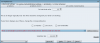
It's annoying that you can't take a screenshot with menus open...
Here are my settings as best I can capture. The sound widget I'm talking about is what pops up when you double click on the volume icon in your panel.
In my CCT settings I have three choices that aren't greyed out, one says [plughw 1,0] which I'm using, the other says [plughw 1,1], but I don't know what the second is good for, I chose the working one by trial and error.
In the volume control under "File" -> "Change Device" I have 6 options, I'm using #2 which is "Intel ICH (Alsa mixer)", this is the only one that populates the dialog with all the controls you see in the image.
It took me on and off about an hour of fiddling to figure out what settings worked, the key was the switch and options settings in last two images.