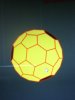
How to solve the "modern rubik's cube"?

bcube

Veteran
Joined
Sep 8, 2010
Messages
760
I recently promised the creator of the puzzle I will try to find out some method to solve it. Since I'm very busy right now and probably will be in the near future as well, there is a chance for you ;-) So far I have solved it three times but all the successful attempts were based on rather luck than intentional serie of moves. So, are you able to come up with more systematically method?


http://ragemaker.net/lightorb/lightorb3d9_21.html


PS. Name of the puzzle was chosen by creator. More appropriate would be "modern orbix" or whatever in my opinion.

PS2. For better understanding how it works, you can click near the word "color" in the upper sentense on the page posted above. The puzzle will be one click from the solved state then.

Enjoy!
 
This reminds me of lights out.

Repeating any sequence of moves seems to give a net effect of nothing, same with comms.

It's trivial getting it down to 2-4 adjacent lights to solve. Just need to find a useful alg for solving them.

Clicking 'color' doesn't seem to do anything and the rotation controls kinda suck.
 
Last edited:
This reminds me of lights out.

Repeating any sequence of moves seems to give a net effect of nothing, same with comms.

It's trivial getting it down to 2-4 adjacent lights to solve. Just need to find a useful alg for solving them.

Clicking 'color' doesn't seem to do anything and the rotation controls kinda suck.

more like the rotation controls DO suck
 
It's trivial getting it down to 2-4 adjacent lights to solve. Just need to find a useful alg for solving them.
 
You can keep the hexagon center the same color and change the color of the ones it surrounds by pretending the surrounded six are two 3-spoke fans. Clicking the three spokes of one fan (pentagons) clockwise then continuing on the next fan (hexagons) in the same direction will preserve the center and orient its surrounding. The hexagons surrounding the center hexagon will also have the pentagons, which are on the opposite side from the center, oriented as well.
 

Attachments

  • IMG_0170.JPG
    IMG_0170.JPG
    84.1 KB · Views: 11
  • IMG_0169.JPG
    IMG_0169.JPG
    80.7 KB · Views: 12
Last edited:
You can keep the hexagon center the same color and change the color of the ones it surrounds by pretending the surrounded six are two 3-spoke fans. Clicking the three spokes of one fan (pentagons) clockwise then continuing on the next fan (hexagons) in the same direction will preserve the center and orient its surrounding. The hexagons surrounding the center hexagon will also have the pentagons, which are on the opposite side from the center, oriented as well.
I believe your explanation is over complicated. You can click the 6 cells surrounding a hexagon in any order (as long as each is only clicked once) and receive the same result.
 
Last edited:
Back
Top