
I realized reading recent comments by @Trexrush1 rush about how @Cride5's visual cube server going down would affect static alg sheets that maybe people don't understand how to make them properly.
Instead of putting =IMAGE links in your published alg sheet, use them only in a private copy that you update, and then use 'Paste Values Only' to create a static version of the sheet that you publish. Here is a step by step workflow for Google sheets:
P.S. For development, using a very small size= parameter to visualcube will make everything snappier; and then just before copying the column of images update your size control to make large images that look sharp at your chosen size.
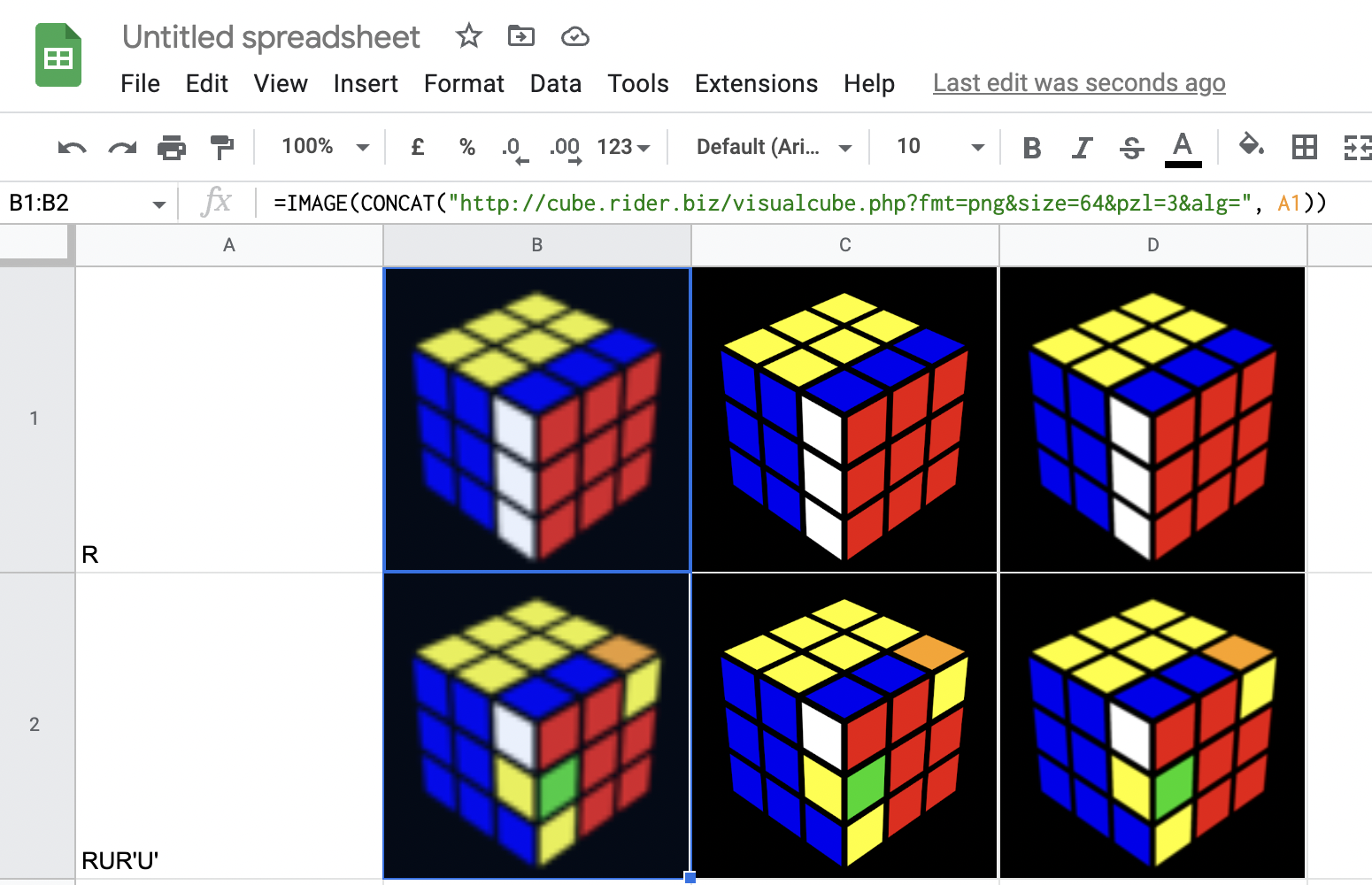
Instead of putting =IMAGE links in your published alg sheet, use them only in a private copy that you update, and then use 'Paste Values Only' to create a static version of the sheet that you publish. Here is a step by step workflow for Google sheets:
- Put the algs you want in column A
- Put the formulas to generate the images live in some other column (say column F)
- Example formula: =IMAGE(CONCAT("http://cube.rider.biz/visualcube.php?fmt=png&size=150&pzl=3&alg=", A1))
- Fill down the formula to generate all the images, and resize the rows by selecting them all at once and dragging the height of the bottom row to make all the cells the exact same height
- Select the column of images and copy it (Edit .. Copy, or Control-C or Command-C)
- Select the correct output column and paste special the values only (Edit .. Paste Special .. Values Only or Control-Shift-V or Command-Shift-V).
P.S. For development, using a very small size= parameter to visualcube will make everything snappier; and then just before copying the column of images update your size control to make large images that look sharp at your chosen size.


