User:Dave3457/sandbox/Gallery of VisualCube
From Speedsolving.com Wiki
< User:Dave3457 | sandbox
-
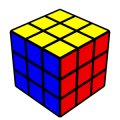
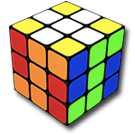
http://cube.crider.co.uk/visualcube.jpg Create the default image of a 3x3x3 cube. The default size is 128px X 128px. -
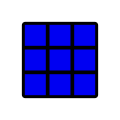
...&r=x0 We begin with the cube rotated zero degrees on any axis -
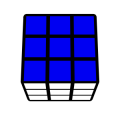
...&r=x20 Rotate the cube 20 degrees on the x-axis. -
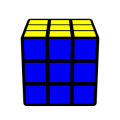
...&r=x-20 Rotate the cube -20 degrees on the x-axis. -
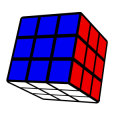
...&r=x20y30 Rotate the cube 20 degrees on the x-axis and then 30 degrees on the y-axis. -
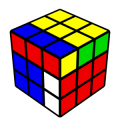
...&alg=RU Apply algorithm RU to the cube. -
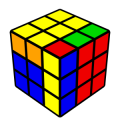
...&case=RU Set up the cube so that the algorithm RU will solve the the cube. -

...&fd=uuuuuuuuurrrrrrrrrfffffffffdddddddddlllllllllbbbbbbbbb Color each facelet of the cube individually in the default manner. -
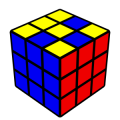
...&fd=ufuuufufurrrrrrrrrfffffffffdddddddddlllllllllbbbbbbbbb Make some upper facelets the same color as the front facelets -
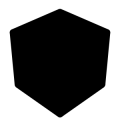
...&fd=ttttttttttttttttttttttttttt Virtually speaking, the cube has a "base" who's default color is black. It is the base which one is seeing in the gaps between the facelets. -
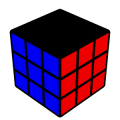
...&fd=tttttttttrrrrrrrrrfffffffffdddddddddlllllllllbbbbbbbbb Make all of the facelets on the top of the cube transparent exposing the black base underneath them. -

...&fd=ttt... ...bbb&co=0 Now also make the parameter "co" or "Cube Opacity" equal to 0 thus making the base completely transparent. -
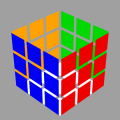
...&fd=ttt... ...bbb&co=0&bg=A0A0A0 So that we can see the white facelets on the bottom, give the image a grey background corresponding to the RGB 6-digit Hex color code [A0A0A0] -
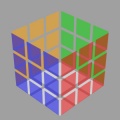
...&fd=ttt... ...bbb&co=0&bg=A0A0A0&fo=50 Now also make the parameter "fo" or "face Opacity" equal to 50 thus making the facelets opacity only 50%. (Wiki software bug, refer to link for image. Refer to image for bug details) -
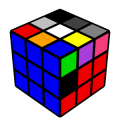
...&fc=ndlswyrobgmpt Color the first few facelets a variety of specific colors. n=black (noir), d=dark grey, l=light grey, s=silver, w=white, y=yellow, r=red, o=orange, b=blue, g=green, m=magenta, p=pink, t=transparent -
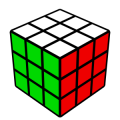
...&sch=white,red,green,yellow,orange,blue Change the color scheme. -
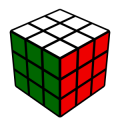
...&sch=white,red,060,yellow,orange,blue Make the green darker using the RGB 3-digit Hex color code [060] -
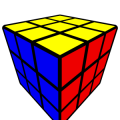
...&&dist=1.5 Change the distance from the default of 5 to 2 -
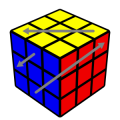
...&arw=U2U6,F1F3,F7R2 Add arrows by specifying the beginning and ending facelets. -
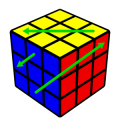
...&ac=green Change the default color of the arrows to green. -
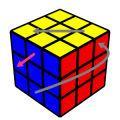
...&arw=U2U6-s7,F1F3-pink,F7R2R5 Scale one arrow, change the color of another and cause another to curve. -
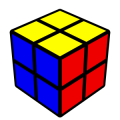
...&pzl=2 Change the dimensions of the cube. -
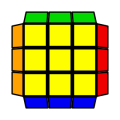
...&&view=plan Use the view called "plan" to look directly down on the top of the cube. -

...&view=plan&alg=RER2E2RU2R'E2R2E'R'U2 Add an algorithm. -

...&stage=ell Using the "stage" mask parameter mask the cube so as to highlight the relevant pieces associated with the "Edge of Last Layer" method. (Several others pre-existing mask arrangements also exist.) -
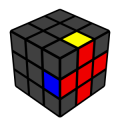
...&stage=ell-z Now rotate it.